

Over 70 percent of American businesses have shifted to digital fax solutions, but security gaps remain a top concern. Protecting confidential information during electronic transmission matters more than ever for companies facing strict industry regulations. This guide walks you through each step to create a secure e-fax system, focusing on reliable encryption, controlled user access, and compliance standards that help shield your most sensitive documents from unauthorized threats.
Table of Contents
- Step 1: Set Up a Secure E-Fax Service Platform
- Step 2: Configure User Access and Permissions
- Step 3: Encrypt All Sent and Received E-Faxes
- Step 4: Implement Compliance and Retention Policies
- Step 5: Verify Security Measures and Monitor Usage
Quick Summary
| Important Insight | Explanation |
|---|---|
| 1. Choose a Secure E-Fax Provider | Research providers with strong security features like encryption and two factor authentication for document protection. |
| 2. Define User Roles and Access Levels | Create specific login credentials and permissions based on job functions to minimize unauthorized document access. |
| 3. Implement Strong Encryption Protocols | Use advanced encryption standards like AES 256-bit to secure all sent and received electronic faxes from unauthorized access. |
| 4. Establish Compliance and Retention Policies | Develop policies aligned with industry regulations to ensure proper document handling and retention timelines. |
| 5. Conduct Regular Security Audits | Regularly review user permissions and system logs to identify vulnerabilities and maintain the integrity of the e-fax system. |
Step 1: Set Up a Secure E-Fax Service Platform
Setting up a secure e-fax service platform requires strategic planning and understanding of digital communication protocols. Your goal is to replace traditional fax machines with a robust digital solution that protects sensitive business documents.
Begin by researching platforms that offer comprehensive security features. Look for services with encrypted transmission capabilities that meet industry compliance standards like HIPAA. These platforms should provide secure document handling across multiple devices and email systems. When evaluating options, prioritize services that offer two factor authentication, secure login protocols, and the ability to track document transmission.
Configuration involves several key steps. First, select a reputable e-fax provider that integrates seamlessly with your existing business communication infrastructure. Then, establish user permissions and access controls. This means creating specific login credentials for team members who will send and receive faxes, and setting up granular access levels to prevent unauthorized document viewing.
Professional Tip: Implement a comprehensive training program for your team to ensure everyone understands the new e-fax system’s security protocols and best practices for digital document management.
Here’s a comparison of key security features for e-fax platforms:
| Security Feature | What It Does | Business Benefit |
|---|---|---|
| Two Factor Authentication | Adds extra login step for users | Reduces risk of unauthorized access |
| End-to-End Encryption | Protects documents throughout transfer | Shields sensitive information |
| Audit Logging | Records user and document activities | Enables compliance and traceability |
| Time-Based Access Control | Limits user access to specific timeframes | Prevents data exposure after departures |
Step 2: Configure User Access and Permissions
Configuring user access and permissions is a critical step in establishing a secure e-fax environment that protects sensitive business information. Your primary objective is to create a granular access control system that ensures each team member can only view and manage documents relevant to their role.

Start by defining user roles and access levels within your e-fax platform. This involves creating specific login credentials with tailored permissions based on department and job responsibilities. Administrators should establish clear hierarchies that limit document visibility and transmission capabilities. For instance, human resources personnel might have full access to incoming and outgoing faxes related to employee documents, while sales teams would have restricted access limited to their specific communication channels.
Implement a comprehensive access management strategy that includes multi factor authentication, unique user credentials, and detailed activity logging. This approach allows you to track document transmissions, monitor user interactions, and quickly identify any potential security breaches. Consider implementing time-based access controls that automatically expire permissions for users who change roles or leave the organization.
Professional Tip: Conduct quarterly permission audits to ensure your access control settings remain aligned with current organizational structures and remove any unnecessary user accounts to minimize potential security vulnerabilities.
Step 3: Encrypt All Sent and Received E-Faxes
Encrypting your electronic faxes is a critical defense mechanism for protecting sensitive business communications. Your goal is to implement robust encryption protocols that shield confidential information from unauthorized access and potential security breaches.
Start by selecting an e-fax platform that offers advanced encryption standards like AES 256-bit encryption, which provides military-grade protection for your documents. This level of encryption ensures that all sent and received faxes are transformed into unreadable code for anyone without proper authentication. Pay special attention to platforms that support compliance with industry regulations such as HIPAA, FERPA, and PCI, which mandate strict data protection protocols.
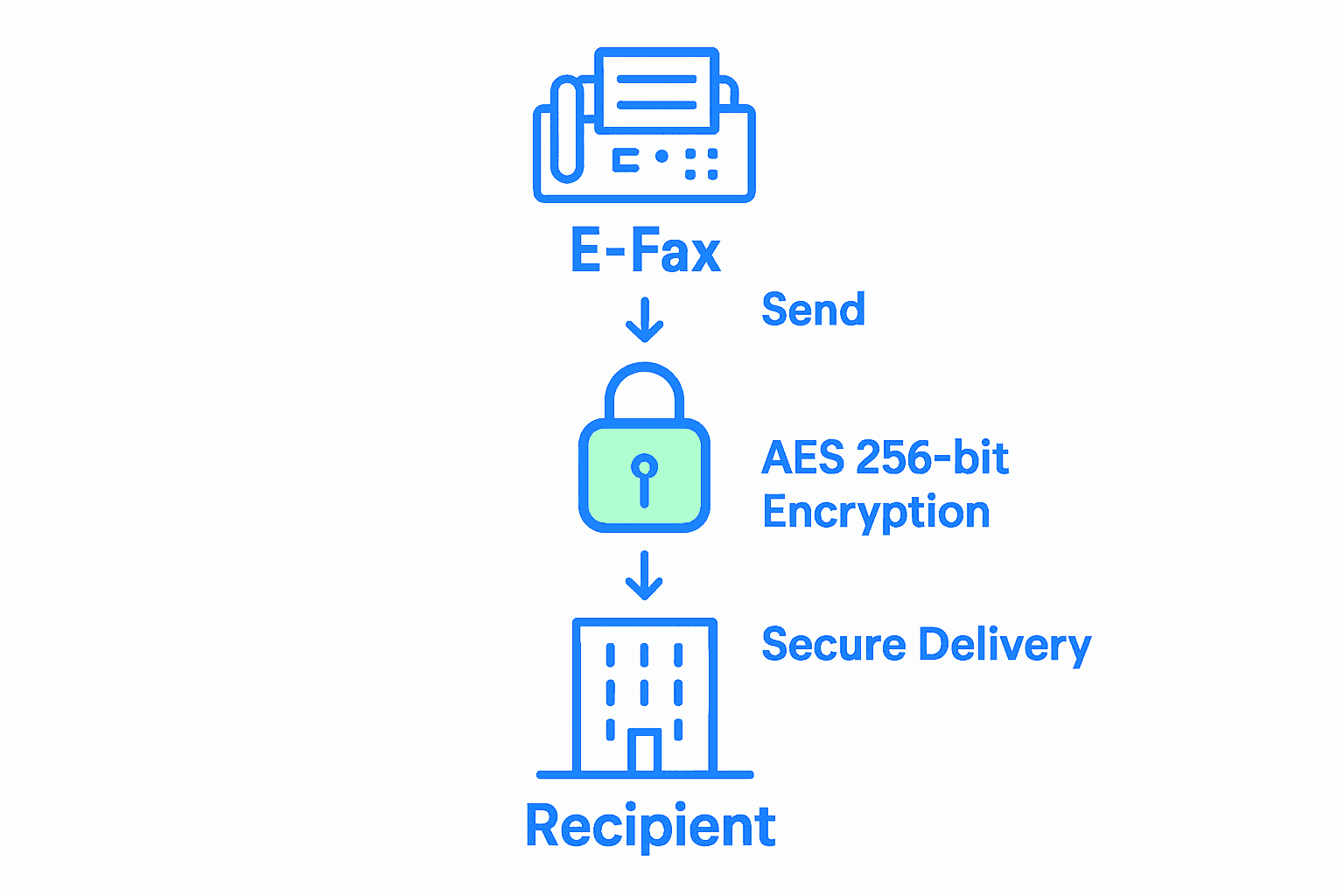
Implement end-to-end encryption that secures documents at every stage of transmission. This means encrypting files before they are sent, during transmission, and while stored on the server. Configure your system to automatically delete faxes after delivery, creating an additional layer of security that prevents long-term document exposure. Consider implementing additional security measures like multi factor authentication and detailed transmission logs that track every interaction with sensitive documents.
Professional Tip: Regularly update your encryption protocols and conduct security audits to ensure your e-fax system remains protected against emerging cybersecurity threats and potential vulnerabilities.
Step 4: Implement Compliance and Retention Policies
Implementing robust compliance and retention policies is crucial for protecting your business from legal and regulatory risks associated with electronic document management. Your objective is to create a comprehensive framework that ensures all e-fax communications meet industry specific regulatory requirements and maintain appropriate document handling protocols.
Develop a compliance strategy that aligns with key regulatory standards such as HIPAA, FERPA, and PCI. This involves establishing clear guidelines for document retention, access control, and secure transmission. Determine specific retention periods for different types of documents based on your industry requirements. For healthcare organizations, this might mean keeping patient related faxes for six years, while financial institutions may have different documentation timelines. Implement automated systems that can automatically archive, delete, or restrict access to documents based on predefined retention rules.
Create a detailed policy document that outlines exact procedures for document handling, including protocols for secure transmission, storage, and eventual destruction. This policy should cover every stage of document lifecycle from initial receipt to final deletion. Establish clear audit trails that track document access, transmission, and modification. Configure your e-fax system to generate comprehensive logs that can be used for compliance reporting and internal security reviews.
Professional Tip: Consult with a legal expert specializing in your industry to ensure your compliance policies meet all current regulatory requirements and provide comprehensive protection for your business.
Below is a summary of retention and compliance standards by industry:
| Industry | Typical Retention Period | Relevant Regulations |
|---|---|---|
| Healthcare | 6 years or more | HIPAA |
| Education | 5-7 years | FERPA |
| Financial | 3-7 years, varies | PCI DSS, SOX |
| Legal | 7 years or case-based | State/Federal Laws |
Step 5: Verify Security Measures and Monitor Usage
Verifying and monitoring your e-fax security measures is an essential ongoing process that ensures the continued protection of your sensitive business communications. Your primary goal is to establish a proactive approach to identifying potential vulnerabilities and maintaining the integrity of your electronic fax system.
Implement advanced permission controls that provide comprehensive user access monitoring. This involves setting up granular access restrictions that track every interaction with your e-fax system. Configure detailed logging mechanisms that capture user activities, including document access, transmission attempts, and system modifications. Pay special attention to creating permission hierarchies that limit document visibility based on user roles and organizational requirements. Use automated alerts that notify administrators of any unusual access patterns or potential security breaches.
Conduct regular security audits that go beyond basic monitoring. This means performing comprehensive reviews of your e-fax system logs, analyzing user access patterns, and verifying that all security protocols are functioning as intended. Develop a systematic approach to reviewing and updating user permissions, removing access for employees who have changed roles or left the organization. Implement multi factor authentication and continuous monitoring tools that provide real time insights into your system’s security status.
Professional Tip: Schedule quarterly comprehensive security reviews and invest in automated monitoring tools that can provide instant alerts for any suspicious activity or potential security vulnerabilities.
Secure Your Business Communications with Voipcom’s E-Fax Solutions
Managing e-fax securely is essential to protect your sensitive business data from unauthorized access and compliance risks. The challenges of encryption, user permissions, and compliance policies demand a powerful yet easy-to-manage system. Voipcom offers a cloud-based e-fax service designed to simplify these complexities while delivering robust security features like encryption, multi factor authentication, and detailed activity logging that align with industry standards such as HIPAA and PCI.
Don’t let security vulnerabilities disrupt your workflow or risk costly compliance issues. Experience the confidence that comes with a fully managed, scalable communication platform supported by local, responsive experts. Learn how Voipcom can help you safeguard your electronic fax transmissions and streamline your business phone system by visiting our main site. Explore our comprehensive Voice & Telephony services and see why small and medium-sized businesses across Arizona and Colorado trust us for secure, modern communications. Take control of your e-fax security today with Voipcom.
Frequently Asked Questions
How can I ensure that my e-faxes are transmitted securely?
To ensure secure transmission of your e-faxes, select a platform that provides end-to-end encryption and meets industry compliance standards. Implement multi-factor authentication for users and conduct regular security reviews to maintain your e-fax system’s integrity.
What user access controls should I implement for e-fax services?
Establish granular access controls by defining user roles and setting specific permissions based on job responsibilities. This way, only authorized employees can view or send sensitive documents, reducing the risk of unauthorized access.
What are the best practices for e-fax document retention?
Develop a document retention policy that aligns with industry regulations, specifying how long different types of documents should be kept. Implement automated systems that can archive or delete documents based on predefined retention schedules to ensure compliance and minimize risks.
How often should I audit my e-fax security measures?
Conduct quarterly security audits to verify the effectiveness of your e-fax security measures and access controls. Regular audits help you identify any vulnerabilities and ensure that permissions are aligned with the current organizational structure.
What encryption standards should I look for in an e-fax platform?
Look for e-fax platforms that offer advanced encryption standards, such as AES 256-bit encryption. This level of encryption provides military-grade security for your documents, ensuring that sensitive information remains protected during transmission and storage.
How can I train my team on using the secure e-fax system?
Implement a comprehensive training program that covers security protocols and best practices for digital document management. Providing regular training sessions will help team members understand how to securely send and receive faxes, enhancing overall compliance and security.