

Managing a law firm’s phone system across busy Denver or Phoenix offices can feel like juggling never-ending calls, compliance demands, and staff frustrations all at once. For many firms, the leap to VoIP promises better flexibility and easier collaboration, but the stakes are high when client confidentiality and HIPAA rules are on the line. Defining clear migration goals and understanding compliance requirements from the start means you set the stage for a smooth transition without risking sensitive client data or disrupting your team’s work.
Table of Contents
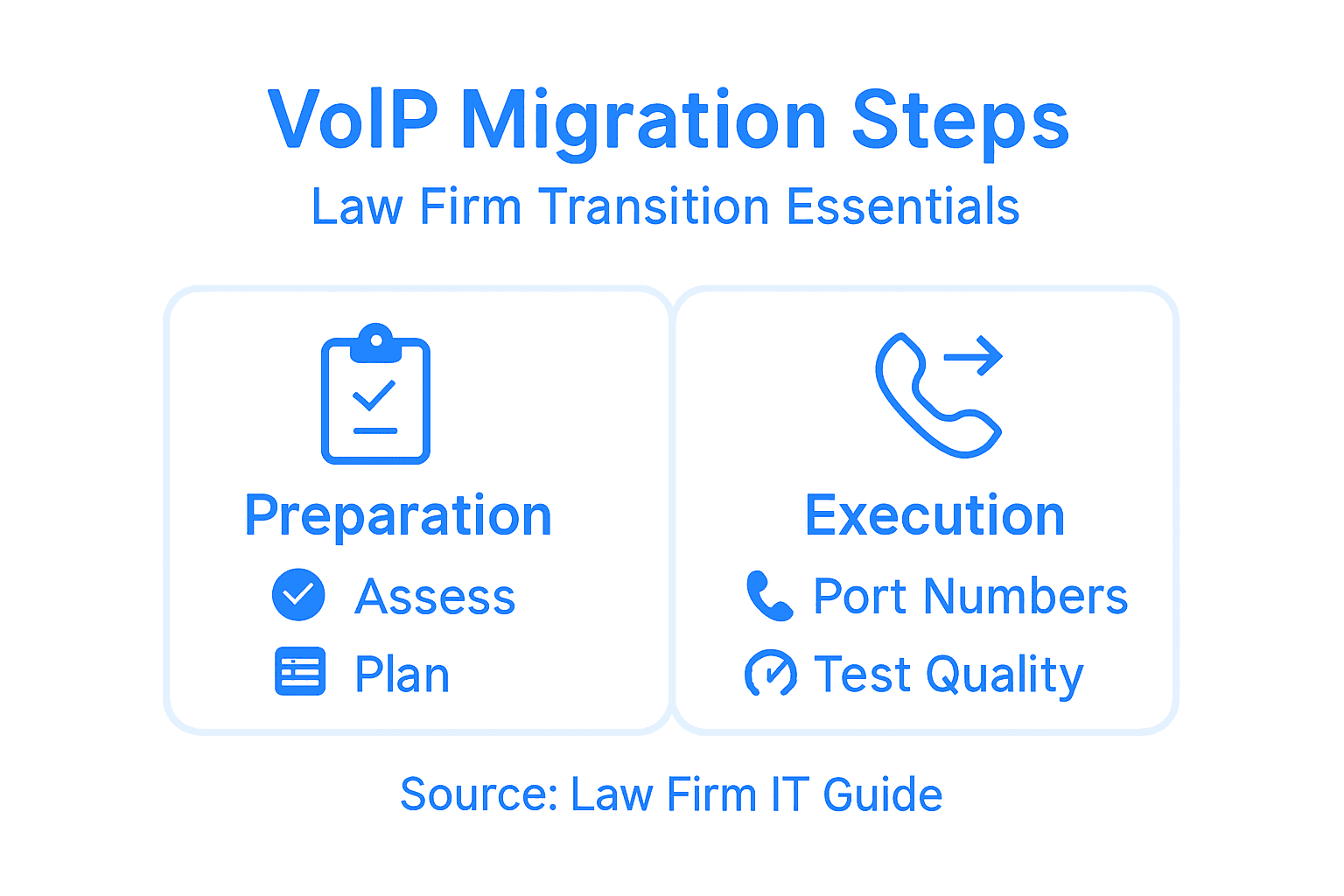
- Step 1: Assess Current Systems And Define Migration Goals
- Step 2: Plan Network And Compliance Readiness
- Step 3: Coordinate Data Porting And User Setup
- Step 4: Implement New VoIP System And Integrations
- Step 5: Test, Validate, And Optimize Performance
Quick Summary
| Important Insight | Explanation |
|---|---|
| 1. Assess Current Systems Thoroughly | Document your existing phone setup, noting pain points and desired features to ensure a smooth migration process. |
| 2. Ensure Compliance and Security Readiness | Identify relevant compliance regulations and plan for security measures that safeguard client data during the transition to VoIP. |
| 3. Create a Detailed Migration Timeline | Map out your timeline and constraints for the migration process, considering team availability and potential disruptions. |
| 4. Test Network Performance Before Migration | Check your network’s bandwidth and stability to confirm it can handle VoIP demands for clear and consistent call quality. |
| 5. Implement Gradual Rollout and Monitoring | Start with a pilot group to detect issues, ensuring a smooth transition for all users before full rollout of the new VoIP system. |
Step 1: Assess Current Systems and Define Migration Goals
Before you unplug a single phone line, you need to understand what you’re working with. This step is all about taking inventory of your current phone system, identifying pain points, and getting clear on what you actually want to achieve with VoIP. This foundation determines whether your migration runs smoothly or becomes a headache.
Start by documenting your existing phone setup in detail. Write down the type of system you’re using (legacy PBX, key system, or cloud-based), how many handsets you have, which numbers are active, and what features you currently rely on. If you’re managing offices across Denver and Phoenix, note which locations have what equipment. Talk to your staff about their daily workflows. Which features do they actually use? Are people constantly complaining about call quality or dropped connections? Are there bottlenecks when the entire team needs to make conference calls? These real-world frustrations often reveal what matters most for your migration.
Next, assess your compliance and security requirements. Law firms operate under specific regulatory pressures, and your new system must support them. Understanding compliance regulations helps you build migration goals that don’t sacrifice data protection or client confidentiality. Look at how your current system handles call recording, client data encryption, and audit trails. Your migration goals should include security features that match or exceed what you have now. Consider whether your team works remotely or hybrid. If you’re juggling calls from the Denver Tech Center to client meetings in LoDo, or managing the energy of the Phoenix Warehouse District team, your VoIP system needs to support mobility and flexible work arrangements.
Then define your specific migration goals. These should go beyond just “replace the old phone system.” Think about what success looks like. Do you want to reduce costs? Eliminate expensive per-line fees? Simplify management so one person can handle it instead of three? Do you need better integration with your practice management software? Are you looking to add features like advanced call routing or AI-powered call screening? Write these down as measurable objectives. If you’re currently paying $8,000 a month for outdated equipment, your goal might be “reduce monthly communications costs by 40 percent while maintaining or improving call quality.” These specific goals guide your selection process and help you evaluate whether a VoIP solution actually delivers.
Here is a comparison of traditional phone systems and modern VoIP solutions to clarify key differences for firms considering migration:
| Aspect | Traditional Phone System | VoIP Solution |
|---|---|---|
| Installation | Requires on-site hardware | Cloud-based, minimal hardware |
| Upgrading Features | Costly and slow process | Fast cloud updates |
| Remote Flexibility | Limited, office-based only | Enables work anywhere |
| Data Security | Varies, often manual | End-to-end encryption likely |
| Integration with Apps | Rare or custom builds | Wide app compatibility |
Also consider your timeline and any constraints. How much disruption can your firm tolerate? Do you need to migrate during a slow period, or can you handle a gradual number porting process? Are there dependencies on other systems, like your help desk or backup internet? Establishing goals around data protection and incident response early helps prevent problems later. Map out your realistic timeline, identify who owns the migration project, and set checkpoints for success.
Pro tip: Create a simple spreadsheet listing every phone line, extension, feature, and current cost associated with your existing system. This becomes your baseline document and helps you compare VoIP quotes accurately without missing hidden costs or buried features.
Step 2: Plan Network and Compliance Readiness
Your network infrastructure and compliance posture are the backbone of a successful VoIP migration. This step focuses on evaluating your current network capacity, identifying security gaps, and building a compliance plan that protects client data while enabling seamless communication across your Denver and Phoenix offices.
Start by assessing your network infrastructure. VoIP demands reliable bandwidth and consistent uptime, so you need to know what you’re actually working with. Check your current internet speeds at each location. Are you running multiple locations with adequate bandwidth to handle voice traffic alongside your normal data usage? A good rule of thumb is that VoIP typically requires 100 kilobits per second per call, but that compounds quickly when multiple staff members are on calls simultaneously. If you have a small T1 connection at your Phoenix office and it’s already straining under regular traffic, you’ll have problems. Test your network stability over a week or two. Look for packet loss, latency spikes, and jitter. These technical gremlins kill voice quality faster than anything else. Also evaluate your firewall and router capabilities. Many older firewalls weren’t designed to handle VoIP traffic intelligently, and they’ll deprioritize calls in favor of data traffic. You may need to upgrade to equipment that supports Quality of Service settings, which let you prioritize voice traffic when bandwidth gets tight.
Next, build out your compliance and security readiness. Law firms face unique regulatory obligations, and your VoIP system must align with them from day one. Securing VoIP according to compliance requirements means planning technical safeguards like firewalls, encryption, and intrusion detection before migration begins. Document what compliance standards apply to your firm. HIPAA concerns you if you handle any health-related client matters. State bar rules often mandate data protection standards. Federal regulations may apply depending on your clients. Write down the specific requirements your VoIP system must meet. This typically includes call encryption, secure authentication for remote workers, audit logging capabilities, and data residency requirements. Work with your IT team or a managed IT provider to identify any gaps between what your current network offers and what your new VoIP system will require. If you’re running soft phones on staff laptops, those devices need endpoint protection. If remote attorneys are taking calls from home offices in Colorado or Arizona, you need a secure connection method, not just open WiFi.
Then establish your pre-migration checklist. Document your current firewall rules and network policies. Plan how you’ll handle the transition without disrupting service. Will you port numbers gradually or all at once? How will you test calls before going live? Create a rollback plan in case something goes wrong. Identify which staff members need training on new features and security practices. Establishing technical safeguards alongside updated policies ensures your firm maintains protection standards throughout the transition. Schedule network upgrades or adjustments well before your migration date so you’re not scrambling at the last minute.
Pro tip: Run a network assessment tool like speedtest or iperf on your current connections to get hard numbers on bandwidth and latency, then share those results with your VoIP provider so they can recommend the right solution and flag any potential issues before migration day.
Step 3: Coordinate Data Porting and User Setup
Number porting is the critical nerve of your migration. This step involves transferring your existing phone numbers to your new VoIP provider while configuring user accounts, extensions, and access permissions so everyone can hit the ground running on day one. Getting this right prevents dropped calls, missed client contacts, and the chaos that ensues when your firm’s phone numbers vanish into the void.
Start by gathering all the information your VoIP provider needs to initiate number porting. You’ll need your current carrier’s account details, the complete list of numbers you want to port, and documentation proving you own or manage those numbers. Pull together your current phone bill or carrier agreement. It’ll show your account number, billing phone number, and authorized user information. Verify every single number you want to move. If you have extensions through your legacy PBX, identify which ones are tied to actual phone lines that need porting versus internal extensions that won’t port. Create a detailed spreadsheet with each number, its current location, the person or department using it, and any special features associated with it. Federal regulations require that VoIP providers facilitate number porting promptly without unreasonable delay, so once you submit your request, your provider has specific timeframes to complete the work. For most situations, simple port requests must be completed within one business day, though this varies based on carrier cooperation and whether you’re porting from a major carrier or a smaller provider. Coordinate the timing carefully. Many firms choose to schedule porting during a Friday afternoon or just before a long weekend so any hiccups have time to resolve before Monday morning business.
Next, configure user accounts and extensions before porting day arrives. Work with your new VoIP provider to set up each user with the correct extension, access permissions, and feature set. Decide who needs call forwarding, voicemail to email, mobile app access, or conference bridge capabilities. If you’re running multiple locations across Denver and Phoenix, determine how the extension numbering will work. Will the Denver office use 5000 series extensions and Phoenix use 6000 series? This prevents confusion and makes it obvious which location someone works from. Configure soft phone settings if staff members will use their laptops or phones for calling. Test user logins and basic functionality with a small group before full rollout. Ensure call routing is set up correctly so calls to each number ring the right person or queue. Brief your team on what to expect. The transition day won’t be magic, and users need to know when they should expect service changes and what they should do if something breaks.
On porting day itself, stay in close contact with your VoIP provider. There’s typically a window where calls may route unpredictably as the port completes, but it usually resolves within minutes to a few hours. Have a backup communication plan ready. If your main phone lines go sideways, staff should know how to reach clients through mobile numbers or email. After porting completes, test thoroughly. Make calls in and out. Check voicemail. Verify that extensions ring correctly. If you discover an issue, report it immediately so your provider can troubleshoot before the damage spreads.
Pro tip: Request your porting confirmation letter from your VoIP provider immediately after submission, and have someone from your office call each ported number exactly 24 hours after the cutover window closes to confirm calls are routing correctly, catching any routing failures before they become a client relations problem.
Step 4: Implement New VoIP System and Integrations
Now the real work begins. This step involves physically deploying your new VoIP equipment, configuring your phone system in the cloud, and connecting it to your existing practice management software and communication tools. Done right, your team transitions from old technology to new capability with minimal friction. Done wrong, you spend weeks troubleshooting.

Start with hardware deployment at each location. Converting voice into digital packets transmitted over internet connections means you need compatible equipment that handles that conversion properly. If your VoIP provider is shipping phones or gateways, schedule their arrival so installation can happen during off-hours or slow business periods. Unbox everything and verify that you received what was ordered. Test each phone individually before mounting them in offices. Check that handset speakers work, buttons respond, and the device connects to your network. If you’re using soft phones on laptops or mobile devices, have IT install the applications and test them on a few devices before rolling out to everyone. Ensure your network is ready to handle the traffic. Remember that bandwidth you tested earlier? Now you know if you need to upgrade your internet connection or adjust Quality of Service settings on your router.
Next, configure system settings and integrations that connect VoIP to the rest of your workflow. Most VoIP platforms offer integration with practice management systems like Clio, MyCase, or Rocket Matter. These integrations let you click a client name and dial automatically, or log calls directly into matter files. Set up call recording if your firm uses recordings for training or compliance purposes, and configure where those recordings get stored and who can access them. Establish voicemail greetings that sound professional and direct callers appropriately. If you’re using Microsoft Teams, integrate your VoIP system so users can make calls directly from Teams without picking up a separate phone. Configure call queues for your reception area so calls route to the right department or attorney. Set up call forwarding for attorneys who split time between Denver and Phoenix offices, routing to their mobile when they’re away. Test every single integration in a real world scenario. Have someone from your team actually call in, navigate the menus, and confirm that calls route where they should.
Then roll out access gradually. Start with a pilot group in one location. Have them use the system for a full business day while you monitor for issues. Are people experiencing dropped calls? Are voicemails being transcribed and emailed correctly? Is the dial tone clear or does it sound tinny? Once the pilot group confirms everything works, gradually move other staff members onto the system. Brief everyone on how to use their new phones before their switch day. Show them how to transfer calls, access voicemail, use the mobile app, and troubleshoot basic issues. Have your VoIP provider or IT team available for the first few days to answer questions and resolve problems quickly. Most firms find that the first week or two involves more support calls than usual, but this settles down as people acclimate.
Pro tip: Schedule your full system implementation during your firm’s slower season or over a long weekend, and keep your old phone system running in parallel for 48 hours after everyone switches over so you can quickly revert if a critical issue emerges that your VoIP provider can’t fix immediately.
Step 5: Test, Validate, and Optimize Performance
Your VoIP system is live, but that doesn’t mean it’s optimized. This step focuses on systematically testing call quality, identifying performance bottlenecks, and fine-tuning your configuration so every call sounds crystal clear whether someone is dialing from your Denver office or handling a client matter from home in Phoenix.
Start by establishing baseline performance metrics. You need hard numbers on what your system is actually delivering. Make test calls from every location and extension. Have someone call in from outside while another person calls out. Try conference calls with multiple participants. Listen carefully to audio quality. Do you hear echo? Is there lag between when someone speaks and when you hear them? Does the voice sound compressed or robotic? These subjective observations matter, but you also need objective data. Latency, jitter, and packet loss are the three metrics that destroy voice quality faster than anything else. Latency is the delay between when someone speaks and when you hear them. Anything over 150 milliseconds becomes noticeably annoying. Jitter is variation in that delay. Packet loss happens when some of the digital information doesn’t make it across the network. Even small amounts of packet loss degrade voice quality rapidly. Evaluating VoIP network performance requires assessing metrics like latency, packet loss, and jitter to ensure your deployment works effectively. Use your VoIP provider’s built-in monitoring tools or ask them to run performance tests from their side.
This table summarizes essential performance metrics to monitor after VoIP migration:
| Metric | What It Measures | Ideal Value | Business Impact |
|---|---|---|---|
| Latency | Voice transmission delay | Under 150 ms | Ensures natural conversation |
| Jitter | Variation in delay | Under 30 ms | Prevents robotic audio |
| Packet Loss | Dropped data packets | Less than 1% | Maintains call clarity |
Next, use detailed analysis tools to identify where problems originate. Wireshark provides detailed VoIP traffic analysis capabilities that let you see exactly what’s happening with your calls at the packet level. If you’re not comfortable using Wireshark yourself, your managed IT provider can run the analysis and interpret the results. They’ll capture network traffic during calls and show you exactly where packets are being lost or delayed. Common culprits include inadequate bandwidth, routers that aren’t prioritizing voice traffic properly, firewall rules that are too restrictive, or issues with your internet service provider. Once you identify the problem, fix it. If bandwidth is the issue, upgrade your internet connection. If Quality of Service isn’t configured, work with your IT team to prioritize voice traffic. If your firewall is blocking certain ports that VoIP needs, open them up.
Then optimize your system based on real usage patterns. As people use the system over a week or two, new issues sometimes emerge. Maybe conference calls work fine with three people but sound terrible with six. Perhaps call recording is consuming too much storage. Maybe certain extensions aren’t ringing properly during high call volume periods. Document these issues and work with your VoIP provider to adjust settings. This might mean tweaking codec settings to balance quality versus bandwidth, adjusting call queue timeouts, or reconfiguring how calls distribute across your locations. Schedule a follow-up quality review after two weeks of live operation. Have your team provide feedback on call quality and usability. Make a final round of optimizations based on that real-world experience.
Pro tip: Create a simple test call log where you document call quality, audio issues, and any problems for the first week after go-live, then use that data to justify any necessary network upgrades or configuration changes to your leadership team.
Simplify Your Law Firm’s VoIP Migration with Voipcom
Transitioning from outdated phone systems can feel overwhelming with challenges like number porting, network readiness, and maintaining compliance across locations like Denver and Phoenix. This guide highlights key pain points such as call quality, security, seamless user setup, and managing complex integrations — all critical for smooth migration in a legal environment.
Voipcom specializes in making this transition effortless by providing fully managed, cloud-based VoIP solutions tailored to law firms. Enjoy benefits like transparent pricing with no hidden fees, expert phone number porting, Microsoft Teams integration, AI-enhanced calling, and dedicated local support to keep your communication clear and compliant. Ready to eliminate costly legacy systems and empower your team with modern flexibility?

Explore how Voipcom’s comprehensive voice and telephony services can help you achieve a seamless migration while boosting productivity and security. Take the first step toward a smarter, more scalable phone system by visiting Voipcom. Discover details about phone number porting, Microsoft Teams integration, and our full suite of managed IT and cybersecurity services designed specifically for firms like yours. Don’t wait until costly disruptions happen—get started today and connect with our expert team for a smooth upgrade.
Frequently Asked Questions
What are the key steps in the VoIP migration process for law firms?
The key steps involve assessing current systems, planning network and compliance readiness, coordinating data porting, implementing the new VoIP system, and testing performance. Begin by evaluating your existing phone system and defining migration goals to ensure a smooth transition.
How can I assess if my law firm’s network is ready for a VoIP migration?
Assess your network by checking your current internet speeds, stability, and bandwidth. Conduct a network evaluation to identify packet loss, latency, and jitter, which are critical for assuring call quality before making the switch.
What should I include in a pre-migration checklist for VoIP?
Include current firewall rules, network policies, documentation of phone numbers for porting, and a plan for training staff on the new system. This checklist will help ensure a seamless transition without disrupting existing service.
How can I optimize call quality after migrating to VoIP?
To optimize call quality, conduct thorough testing of audio metrics like latency and packet loss. Use monitoring tools to identify performance bottlenecks and make necessary adjustments, such as prioritizing voice traffic in your network settings.
What training do staff members need for the new VoIP system?
Staff should be trained on basic features like making calls, managing voicemail, and utilizing any integrated applications. Provide hands-on demonstrations and materials to ensure everyone is comfortable with the new technology by the time the system fully goes live.
How can my law firm ensure compliance during the VoIP migration?
Maintain compliance by documenting applicable regulations, such as data protection standards, and ensuring your VoIP system aligns with them. Consult your IT team to identify required security measures and setup plans during the migration process.