

Voipcom gives Phoenix and Denver administrators a VoIP manager portal for controlling users, extensions, call handling, voicemail, and day-to-day access from one secure workspace. Your team can make approved operational changes quickly, while Voipcom manages design, security, network diagnosis, and advanced phone-system work that should not become an internal IT burden.
What is a VoIP manager portal, and what does it control?
A VoIP manager portal is a secure administrative interface that lets authorized business users configure the operational settings of an internet-based business phone system. It is the control plane for routine phone-service changes: who has a number, where a call goes, when an auto attendant plays, which team receives a queue, and which administrators can make changes.
The portal does not replace the phone platform itself. It provides a governed way to send approved configuration changes to that platform. For example, an administrator can assign an extension to a new employee, update the greeting for a holiday closure, or redirect a department’s calls during an office move. The phone service then applies those rules to incoming and outgoing calling.
For a Phoenix or Denver business, the practical value is speed without surrendering control. Your office manager, operations lead, or internal IT team can handle normal service changes without waiting on a ticket for every adjustment. Voipcom remains accountable for the underlying architecture, security posture, device deployment, call-quality investigation, and integrated IT environment.
POPP identifies user and device controls such as renaming or reassigning users, assigning phones, resetting passwords, and managing extension numbers as standard portal capabilities. Those are precisely the changes that belong in your daily administrative workflow.
How does a VoIP manager portal keep everyday phone administration in one place?
A VoIP manager portal centralizes the business rules that determine how people, devices, numbers, and calls interact. Instead of tracking changes across spreadsheets, desk-phone menus, and separate support requests, you work from a single view of the phone environment.
Voipcom delivers Denver business phone systems and cloud phone systems for Phoenix businesses from local offices. For the rest of the stack, see cloud phone service for Phoenix and Denver businesses.
Start by treating the portal as an operating dashboard, not merely a settings page. Good administration follows a simple sequence:
- Confirm the business outcome first, such as getting sales calls to the right available team or ensuring an after-hours caller reaches the correct message.
- Identify the affected object: a user, extension, phone, main number, queue, voicemail box, or schedule.
- Make the narrowest change that produces the result.
- Test the call path from an outside number and document the change for your team.
A call path is the ordered set of routing rules that determines what happens after a caller dials a number. A typical path may begin with a main number, move to an auto attendant, continue to a department queue, and finally route to a voicemail destination if no one answers. Each component has a distinct purpose. Changing the wrong component can affect callers far beyond the department you intended to update.
This is also why a unified managed model matters. Phone settings depend on network readiness, identity controls, device status, and reliable internet connectivity. If an outage or circuit issue affects calling, your portal can show the configured call behavior, while Voipcom can investigate the broader service environment. A resilient design may also include backup internet for business so your communications plan has an alternative connection strategy.
How do you manage users, extensions, and phone-system access safely?
You manage users safely by assigning each person the correct identity, extension, device, calling permissions, and portal role before they begin using the system. A clean user record ties together the person, their business number, their extension, their assigned endpoint, and their access rights.
An extension is the internal dialing identifier used to reach a specific user, shared location, department, or service feature within the phone system. It may be associated with a direct number, but the two are not interchangeable. A direct number accepts external calls; an extension controls internal dialing and can be part of routing logic.
Use a consistent onboarding and offboarding process:
- Create or update the user record and assign the correct extension.
- Assign the desk phone, softphone access, or other approved endpoint.
- Apply only the calling permissions the role requires.
- Set voicemail behavior and any shared-group membership.
- Give portal access only if the employee must administer a function.
- On departure or role change, remove access, recover or reassign devices, and redirect calls deliberately.
Avoid sharing an administrator login. Shared credentials eliminate accountability and make it harder to identify which change caused a routing problem. Instead, use named accounts and role-based access. Role-based access means permissions are assigned according to a person’s administrative responsibility, such as managing a department queue without being able to alter company-wide emergency settings.
The right permission model balances autonomy with blast radius. Give a receptionist the ability to update a greeting if that is part of the job. Do not give the same account unrestricted authority to change emergency records, system-wide routing, or security settings.
How can a VoIP manager portal update routing, business hours, and voicemail?
A VoIP manager portal updates call handling by connecting schedules, menus, groups, and destinations into a deliberate call path. This is where administrators make the phone experience match the way the business actually operates.
An auto attendant is an automated call menu that answers a number and directs callers based on selections or configured routing rules. Business-hour schedules tell the auto attendant which greeting and routing plan to use at different times. A call queue holds and distributes inbound calls to a defined team according to its configured handling rules. A hunt group is a defined group of destinations that rings according to a selected pattern.
POPP and Intermedia both identify auto attendant schedules, hunt groups, call queues, and call pickup groups as portal-managed call-flow functions. That means routine changes can be fast, but they still require disciplined planning.
Consider a common operational change: a Denver service department closes earlier for a staff event. The correct approach is not simply forwarding the main number to one employee. Update the applicable schedule, select the approved closure greeting, decide whether urgent calls should route to an on-call destination, and confirm where non-urgent calls leave messages. Then place a live test call through the entire path.
Voicemail requires the same level of intent. Decide whether messages belong to an individual, a department, or an escalation process. Configure notification and retention behavior to match your workflow, and make sure ownership is clear when personnel change. For teams that need messages delivered into the workstream quickly, Voipcom can help you evaluate voicemail to email as part of the broader communications design.
For deeper queue design, review our guide to selecting and operating a call queue management system. The portal makes the configuration accessible; the business still needs a clear decision about who answers, what happens when no one is available, and who owns exceptions.
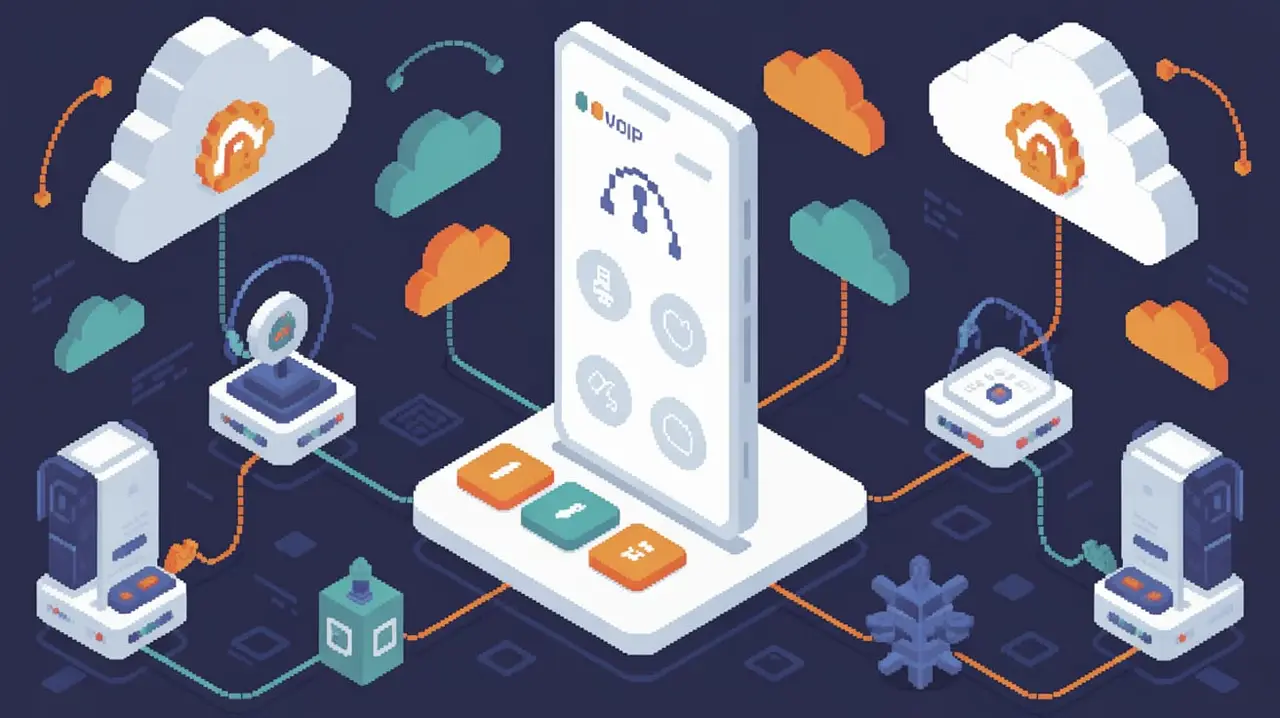
How do call visibility and AI intelligence improve customer experience?
Call visibility helps administrators identify whether a customer-experience problem is caused by routing design, staffing coverage, device behavior, or call quality. The portal should give your team enough operational detail to see where the call journey broke down before a customer complaint becomes a pattern.
Call-quality monitoring focuses on the condition of voice traffic. According to WhatsUp Gold and SolarWinds, VoIP management tools can monitor Mean Opinion Score, or MOS, along with jitter, packet loss, and latency. MOS is a call-quality rating measure; jitter is variation in packet arrival timing; packet loss occurs when voice data does not reach its destination; and latency is delay in transmission. These signals help Voipcom isolate whether a reported issue is connected to the network path, a device, or another part of the service environment.
Visibility alone does not tell you whether a conversation met your service standard. That is where Voipcom’s AI call intelligence layer adds a practical advantage. It transcribes, scores, and coaches every call so managers can review customer interactions with evidence rather than relying only on anecdotal feedback. Use portal data to understand the call’s route and performance. Use AI call intelligence for small business to understand the conversation, identify repeat coaching opportunities, and verify whether the caller reached the right team.
Keep the two disciplines distinct. A clean technical call can still be mishandled. A well-handled conversation can still be damaged by poor audio. Your communications program needs both operational call visibility and conversation intelligence.
What security and compliance practices belong in a VoIP manager portal?
A secure VoIP manager portal uses limited permissions, strong authentication, protected communications, and documented change control to reduce the risk of unauthorized or harmful changes. Administrative convenience should never override access discipline.
Security controls should be layered. CompuVoip, CrafTech Computer Solutions, Netlink Voice, and TelcoBridges identify Secure Real-time Transport Protocol, or SRTP, for voice media and Transport Layer Security, or TLS, for signaling as VoIP security practices, alongside robust authentication such as multi-factor authentication. In practical terms, SRTP protects the voice-media stream, while TLS protects the signaling exchange used to establish and manage calls. Multi-factor authentication requires more than one verification method before portal access is granted.
Your portal governance should also include:
- Named administrator accounts, never shared credentials.
- Least-privilege roles for office, department, and IT administrators.
- A documented approval process for company-wide routing and emergency changes.
- Prompt removal of access during offboarding.
- A change record that captures what changed, why, and who approved it.
Emergency calling deserves special attention. E911 address management allows administrators to create, modify, or bulk update emergency records, according to Envoi Networks, VoIPCalling, and TelNet Worldwide. Treat emergency-address changes as controlled changes. Confirm the location information matches the current user or device placement, especially after moves, new-site openings, or hybrid-work policy changes.
Privacy and recording policies also require deliberate administration. Envoi Networks states that VoIP providers must address data-privacy regulations including the General Data Protection Regulation and the California Consumer Privacy Act, and that recording controls often support legal consent requirements. Your portal settings, call-recording policy, retention practices, and user permissions must align with the compliance obligations that apply to your organization. Voipcom can help translate that policy into an enforceable phone-system configuration.
When should you use the VoIP manager portal, and when should you call Voipcom?
Use the VoIP manager portal for approved, routine operational changes; call Voipcom for changes that affect architecture, security, emergency service, persistent quality issues, or the broader IT environment. The distinction keeps your team responsive without asking non-specialists to absorb unnecessary technical risk.
| Change or situation | Use the portal directly when | Involve Voipcom when | Decision criterion |
|---|---|---|---|
| User or extension update | The request follows your approved onboarding or role-change process | The change requires a new device plan, broader permissions, or unusual number handling | Scope and access impact |
| Business-hours or greeting update | The routing destination and message have been approved | Multiple departments, locations, or exception paths are affected | Call-path complexity |
| Queue or hunt-group adjustment | You are changing a known group with a tested fallback plan | Calls are being missed, routing logic must be redesigned, or service coverage has changed | Customer-experience risk |
| Emergency-address update | The location data is verified and your approval process allows the update | The move affects many users, sites, or emergency-calling design | Safety and compliance impact |
| Call-quality complaint | The portal identifies a clear, isolated user or device setting to check | Quality concerns persist or appear across users, locations, or networks | Need for technical diagnosis |
| Recording or AI call-intelligence policy | You are applying an approved, documented policy | Consent, privacy, retention, permissions, or integration requirements need review | Legal and data-governance impact |
The market continues to reward businesses that treat communications as managed infrastructure rather than a collection of disconnected tools. Coherent Market Insights estimates the global VoIP services market at US$ 201.97 billion in 2026 and projects a 12.9% compound annual growth rate through 2033. Growth does not make every platform equal. Your decision should center on local support, operational control, security governance, call-quality accountability, and the ability to connect phones with managed IT and AI-driven call intelligence.
Get help with phone administration
Voipcom gives Phoenix and Denver businesses the portal access they need and the local managed expertise they should expect. Contact Voipcom to review your current phone administration process, routing design, security controls, and AI call-intelligence goals.
Voipcom — 1530 E williams Field Suite 201, Gilbert, az 85295 — 480 571 4454.
Frequently asked questions
What is a VoIP manager portal?
A VoIP manager portal is a secure web-based administration interface for managing business phone-system users, extensions, devices, routing rules, schedules, voicemail, permissions, and selected reporting functions.
Can an office manager update business hours in a VoIP manager portal?
An office manager can update business hours in a VoIP manager portal when the account has the appropriate permission and the organization has approved the related greeting and call-routing plan.
What should a business administrator avoid changing without managed support?
A business administrator should involve a managed VoIP partner before changing system-wide routing, emergency-address records, security settings, recording policies, network-dependent call-quality settings, or configurations that affect multiple locations.
How does a VoIP manager portal support call-quality troubleshooting?
A VoIP manager portal supports call-quality troubleshooting by exposing operational and quality signals such as MOS, jitter, packet loss, and latency, helping a managed partner determine where to investigate.
Why are permissions important in a VoIP manager portal?
Permissions are important because they limit each user to the settings required for their job, protecting emergency records, routing rules, security controls, and customer-facing phone operations from accidental or unauthorized changes.
How does Voipcom combine portal control with AI call intelligence?
Voipcom combines portal control for phone-system operations with an AI layer that transcribes, scores, and coaches every call, allowing businesses to manage both call delivery and the quality of customer conversations.