Business VoIP Services
Business VoIP & cloud phone systems that are more than phones
Voice, text, fax, and apps under one number, with every call ready to be transcribed, scored, and synced to your CRM by Voipcom AI.
- Business VoIP
- $35 per Seat
- Unlimited US Calling
- Business SMS
- CRM Sync
- AI Call Summaries
- Number Porting
- Desk, Mobile & Desktop
The channel stack
Voice, text, fax, and apps under one number
A cloud phone system stops being 'phone service' when every channel — and the AI reading it — shares the same line.
Voice calling
Business SMS & MMS
Cloud fax
Mobile & desktop apps
Desk & conference phones
Auto attendants & queues
CRM sync
AI summaries & coaching
Unlimited US calling from $35/seat. Number porting handled for you.
Where old systems leak
What a legacy phone system quietly costs
Not drama — drift. Each of these is two parts of the business that stopped talking to each other.
Calls route badly or ring out
The main line rings a desk that went remote two years ago, and the caller meets voicemail instead of a person.
Everyone texts from personal phones
Remote and field staff improvise with personal numbers, and the business loses the thread the moment they do.
Messages live in five places
Voicemail on the phone, faxes in a tray, texts on someone's cell — nothing lands where the follow-up happens.
Nobody can see the phones working
Volume, wait times, missed calls, and follow-through are invisible until a customer complains.
CRM notes depend on memory
What was said on the call makes it into the record only if someone types it up afterward. Usually nobody does.
The vendor stops at dial tone
Call quality lives and dies on your internet, firewall, and Wi-Fi — things a commodity VoIP provider never touches.
Voipcom reconnects all of it — voice, text, fax, apps, CRM, AI, hardware, and support, managed together.
The VoIP service hub
Every piece of the phone system, one place to start
Thirteen services that install alone or snap together — same platform, same local team, same bill.
Core Phone System
4-
Business VoIP & Cloud Phone Systems
Modern cloud phone systems and hosted PBX with advanced routing, analytics, and unified messaging. -
Hosted PBX
A full PBX in the cloud — extensions, IVR, queues, and voicemail, fully managed, no hardware. -
Business Phone Service
The whole service in one bill: calls, texting, apps, and AI on simple month-to-month pricing. -
Mobile & Desktop App
Your business number on every device: calls, voicemail, and chat that follow you.
Messaging & Fax
3-
VoIP Texting & Business SMS
Text from your business number: campaigns, reminders, and two-way conversations. -
MMS Messaging
Send images, video, and documents by text — rich media from your business number. -
eFax & Cloud Faxing
Secure, paperless eFax from email or app, HIPAA-aware for healthcare workflows.
Routing & Call Handling
4-
Auto Attendants & IVR
Greet and route every caller automatically with smart menus and after-hours handling. -
Call Queues & ACD
Hold and distribute calls to the right people with queue strategies and wait-time control. -
Call Recording
Record, store, and retrieve calls for quality assurance and compliance. -
Voicemail-to-Email & Transcription
Voicemails delivered as audio and searchable text, straight to your inbox.
The call-flow builder
One ring, routed on purpose
We design your call routing before anything goes live — sales, support, after-hours, remote staff, and multi-location, all from one main number.
Customer calls the main number
Auto attendant greets and routes
Press 1 · Sales
- Rings the sales queue
- Overflow to mobile apps
- Missed call triggers a TextBack
Press 2 · Support
- Call queue with wait-time control
- Routes to desk phones & desktop app
- Recorded where enabled
After hours
- After-hours greeting takes over
- AI receptionist or voicemail
- Transcription lands in the inbox
- AI summary → CRM, where available
- Recorded where enabled
- Missed calls get a TextBack
- Managers see the whole picture
Works the same for single offices, remote teams, and multi-location businesses. Have us sketch yours in a demo
Apps included, hardware optional
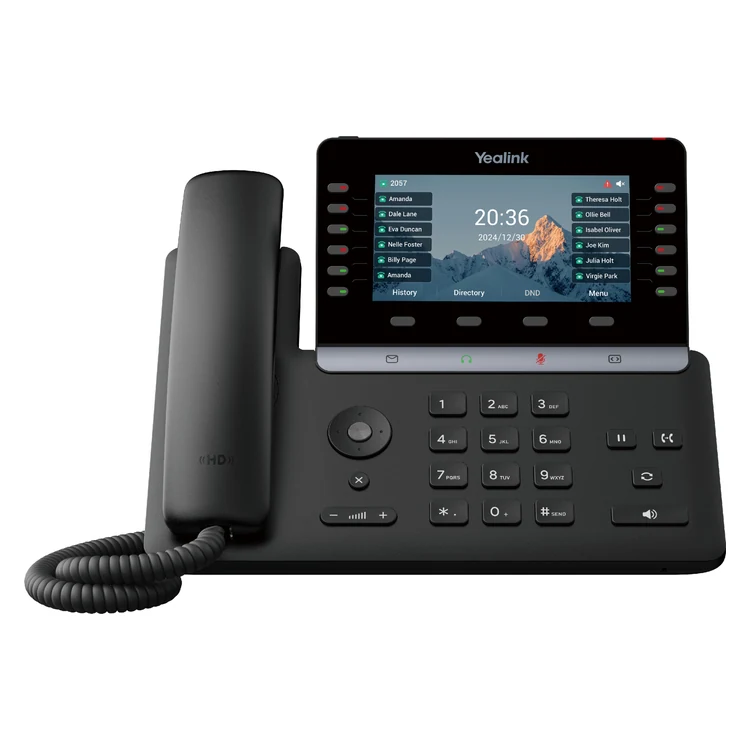
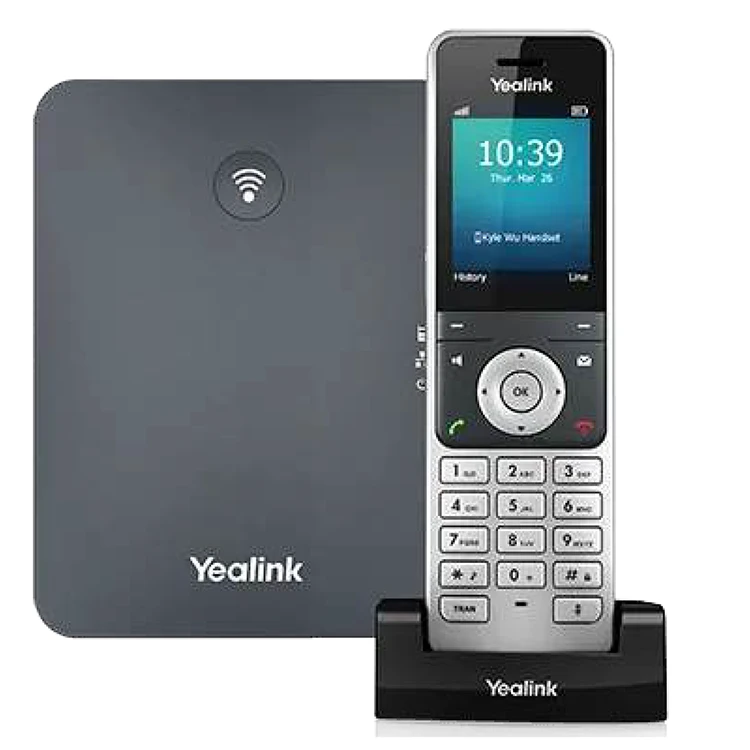
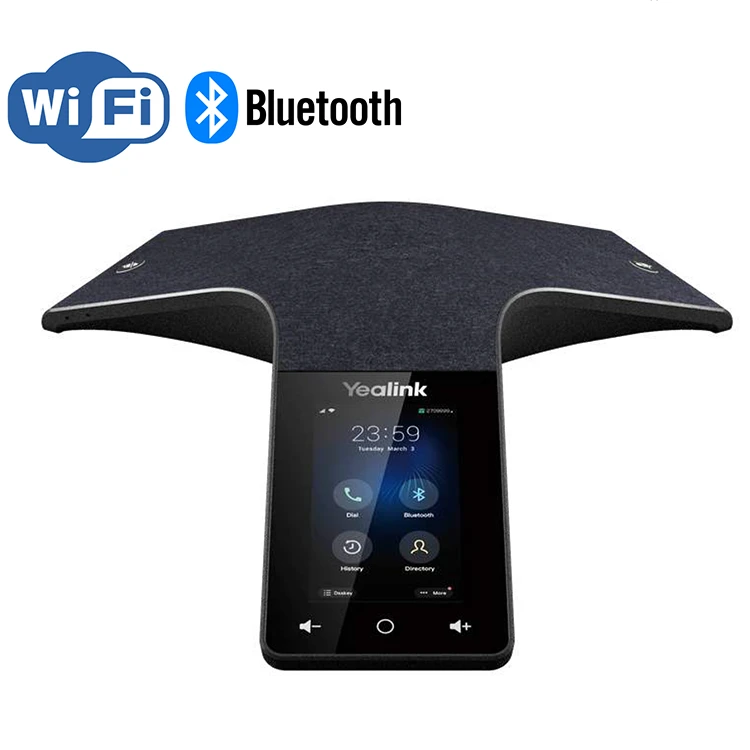
Phones your team will actually like
Buy outright or rent monthly. Every device arrives provisioned, plugs in, and just works — and the apps carry the same number everywhere else.
Desk
Yealink T54W
Cordless
Yealink W76P
Conference
Yealink CP925
Headset
Yealink WH62
Desktop
Windows & Mac app
Mobile
iOS & Android app
Rent from $4/mo · provisioned & supported See the full catalog with buy & rent pricing
Business VoIP pricing
Simple per-seat pricing
$35
per seat
unlimited US calling
- Typical cutover under one week
- Number porting handled
- Any device: desk, desktop app, mobile
- AI-ready: summaries & coaching
The cutover, step by step
Ready to retire the old phone system?
We port your numbers, configure your call flows, and train your team. Most cutovers happen in under a week.
Audit what exists
Numbers, users, devices, and the call flows you actually rely on.
Design the new routing
Auto attendants, queues, after-hours handling, and voicemail mapped before anything moves.
Provision everything
Phones, apps, SMS, fax, and users configured and tested in advance.
Port the numbers
Voipcom manages the porting process with the carriers — you keep every number.
Train and go live
A planned, supervised weekday cutover with your team trained before the switch flips.
Layer on the smart parts
AI summaries, CRM sync, reporting, and automation added where you want them.
Porting is step 4, and it's ours to run — see how number porting works
The AI-ready part
Calls that finish their own paperwork
On a Voipcom system, a finished call can keep working: transcript, summary, action items, score, CRM note, and manager visibility — where enabled.
-
The call happens
Desk phone, desktop, or mobile — same number.
-
Transcript captured
The conversation becomes searchable text.
-
AI summary & score
What was discussed, promised, and how it went.
-
CRM note written
Logged to the record where integrations are available.
-
Managers see it
Activity and coaching insights in the manager portal.
Explore the AI layer: AI overview · AI note taker · AI receptionist · Manager portal
One system, every desk
What the phone system does for each seat
A cloud phone system earns its keep differently depending on who's holding the handset.
Business Owner
Fewer missed calls, visibility into how the phones actually perform, and nobody on staff moonlighting as the phone administrator.
Office Manager
Routing, voicemail, texting, and user changes handled by request — not by wrestling a portal.
Sales Manager
Call tracking, AI summaries, and CRM notes where enabled — coaching from real calls, not gut feel.
Support Team
Queues that hold politely, route fairly, and keep the call history attached to the customer.
Remote & Mobile Staff
The business number on mobile and desktop — clients never learn anyone's personal cell.
IT Manager
Phones, network, apps, and support managed together, by a partner who also does IT.
Cloud system, local humans
Business VoIP with a Phoenix and a Denver team behind it
Cutovers, porting, hardware, and support handled by people you can actually get on the phone — remote first, on-site when it helps.
Why it stays reliable
A phone system is only as good as the network under it
Call quality depends on internet, firewalls, Wi-Fi, and failover — which is why Voipcom runs those too. Commodity VoIP providers stop at dial tone; we keep going.
After the switch
The first week on the new phones
Mostly, what you notice is the stuff that stops going wrong.
- Fewer missed calls
- Cleaner call routing
- One number on desk, desktop, and mobile
- Professional texting from the business line
- Voicemail that shows up as readable text
- After-hours callers still get an answer
- CRM notes without the typing
- Easier remote and hybrid work
- An uneventful provider switch
- Hardware, apps, and service supported together
- Manager-level visibility on call activity
- Fewer vendors to manage
FAQ
What buyers ask before switching phone systems
What is business VoIP?
Business VoIP runs your phone service over your internet connection instead of legacy phone lines — which is what lets one system carry calls, texting, fax, mobile and desktop apps, CRM sync, and AI features under your existing business number.
How much does Voipcom business VoIP cost?
Unlimited US calling starts at $35 per seat. Desk phones are optional — buy outright or rent from $4/mo, provisioned and supported.
Can I keep my current business phone numbers?
Yes. Voipcom handles number porting for you — local, toll-free, and fax numbers — so you keep every number your customers already know.
How long does it take to switch to Voipcom?
Most cutovers happen in under a week. We design call flows and provision devices in advance, then go live as a planned, supervised weekday cutover with your team trained before the switch.
Does Voipcom offer desk phones and mobile apps?
Both. Yealink desk, cordless, and conference phones arrive provisioned and ready to plug in, and the mobile and desktop apps put the same business number on every device.
Can I text from my business phone number?
Yes — 10DLC-registered business SMS and MMS from your existing business number: two-way conversations, reminders, and rich media.
Does Voipcom support call recording and voicemail transcription?
Yes. Call recording is available for quality assurance where enabled, and voicemail-to-email delivers every message as audio plus searchable text.
Can Voipcom integrate calls with my CRM?
Yes — calls, notes, and AI summaries log to the CRM automatically where integrations are available. See the CRM integration page for the current lineup.
What is a hosted PBX?
A hosted PBX is your phone system running in the cloud — extensions, auto attendants, queues, and voicemail with nothing to maintain on-site. Voipcom manages it for you.
Does Voipcom provide business phone systems in Phoenix and Denver?
Yes — local teams in the Phoenix metro (Gilbert HQ) and Denver Front Range (Greenwood Village) handle cutovers, porting, hardware, and support. And because Voipcom also runs managed IT, your phones and network can be handled together.
What happens to VoIP calls if the internet goes down?
Calls can ring the mobile app on cellular data, and Voipcom offers backup internet with automatic failover so desk phones survive an outage too. Keeping calls up is exactly why we run the network layer, not just the phones.
The switch, handled
Your numbers come with you. The old system doesn't.
Everything is provisioned and tested before go-live. Your customers keep dialing the number they've always known — it just starts getting answered better.
- Voice, text, fax, apps, CRM, and AI on one system
- Phoenix & Denver teams through the whole cutover
- Phones provisioned before they reach a desk