


Tempe network support from Voipcom should give local businesses one accountable partner for users, Wi-Fi, applications, phones, and security controls. Expect proactive monitoring, documented response procedures, secure network design, dependable communications, and a support plan that scales cleanly as locations, staff, cloud systems, and call volume grow.
Table of contents
- What does Tempe network support cover for a growing business?
- How should you evaluate Tempe network support for reliability and security?
- Should you choose managed, co-managed, or break-fix Tempe network support?
- What should a Tempe network support assessment and ongoing plan include?
- How much should Tempe network support cost, and what should the agreement clarify?
- Frequently asked questions
What does Tempe network support cover for a growing business?
Tempe network support covers the design, operation, protection, and improvement of the network services your business relies on to communicate and work.
Comparing providers? See IT support for Commerce City, CO businesses, or explore managed IT and IT support across Phoenix and Denver.
A business network is more than switches and internet service. It is the connected system that moves data between employee devices, wireless access points, servers, cloud applications, printers, security tools, and business phones. Network support keeps those components available, secure, and configured for your actual workflow.
For a Tempe business, the core scope should include:
- Internet and network edge management: Configuration and oversight of firewalls, internet connections, DNS, VPN access, and traffic rules.
- Switching and Wi-Fi: Managed switches and wireless access points that connect wired and wireless devices while separating business traffic appropriately.
- User and device access: Secure onboarding, offboarding, password controls, multi-factor authentication, and endpoint management.
- Network monitoring: Continuous checks of device status, bandwidth use, packet loss, latency, storage, and critical service availability.
- Cybersecurity operations: Patch management, threat prevention, security alert review, vulnerability remediation, backup verification, and incident response planning.
- Cloud and communications support: Support for Microsoft 365 or similar platforms, cloud applications, business phones, messaging, and remote access.
- Documentation and planning: Current network diagrams, asset records, passwords held securely, vendor contacts, escalation procedures, and a technology roadmap.
Network segmentation is the deliberate division of one physical network into separate logical networks, usually with VLANs and firewall rules. A secure design may place employee computers, guest Wi-Fi, phones, security cameras, printers, and payment devices in separate segments. The separation limits unnecessary device-to-device access. If a guest device or camera is compromised, segmentation helps prevent that device from reaching sensitive business systems.
A capable provider also understands that communications are network-dependent. Cloud calling converts voice into data packets that travel across your network and internet connection. If voice traffic competes with large downloads or unreliable Wi-Fi, callers hear delay, jitter, or dropped audio. Quality of service (QoS) rules identify voice traffic and prioritize it during congestion. Voipcom can manage the network and communications layer together, rather than leaving your phone provider and IT provider to blame each other.
For local organizations that need one accountable partner, Voipcom’s Tempe IT services combine network management, cybersecurity, cloud support, and modern business communications. Voipcom delivers that managed IT support in Tempe from its office in nearby Gilbert.
How should you evaluate Tempe network support for reliability and security?
You should evaluate Tempe network support by testing whether the provider can prevent common failures, diagnose incidents quickly, protect access, and clearly own the outcome.
Do not accept “we monitor your network” as a complete answer. Ask what is monitored, how alerts are handled, who investigates them, and what happens after hours. Monitoring tools can collect status information through methods such as SNMP polling, device logs, and service checks. The value is not the dashboard. The value is a technician recognizing a failing access point, a saturated internet circuit, repeated firewall blocks, or an offline backup before the issue disrupts work.
Use these buyer questions during your evaluation:
- What is the response model? Ask how requests are classified by business impact. A failed internet connection, suspected account takeover, or phone outage requires immediate escalation. A routine software request can follow a normal queue. Your agreement should distinguish acknowledgement, active work, vendor escalation, and resolution communication.
- Who owns carrier and vendor coordination? Internet carriers, hardware vendors, software providers, and phone vendors often have separate support processes. Your partner should collect evidence, open the right case, maintain pressure, and keep your team informed.
- How is remote access secured? Remote support should use named accounts, multi-factor authentication, least-privilege access, logging, and a clear method for removing access when staff or vendors leave.
- How are changes controlled? Firewall rules, Wi-Fi settings, switch configurations, and phone routing should not be changed casually. Ask for change documentation, rollback procedures, and verification after a change.
- What security controls are actively managed? Look for patching, endpoint protection, DNS or web filtering, email protections, identity controls, backup oversight, and review of meaningful alerts. A security tool that nobody reviews is not a managed control.
- Will you receive usable reporting? Monthly reports should show open risks, completed work, recurring issues, asset changes, patch status, backup results, support trends, and recommendations—not pages of raw alerts.
Reliability also requires redundancy where downtime carries a real cost. A secondary connection can keep critical cloud services and phones running if the primary circuit fails. The best design depends on the failure you need to survive: a second cable connection may share the same local infrastructure, while a wireless connection may provide a more independent path. Review how backup internet works for businesses before choosing a failover approach.
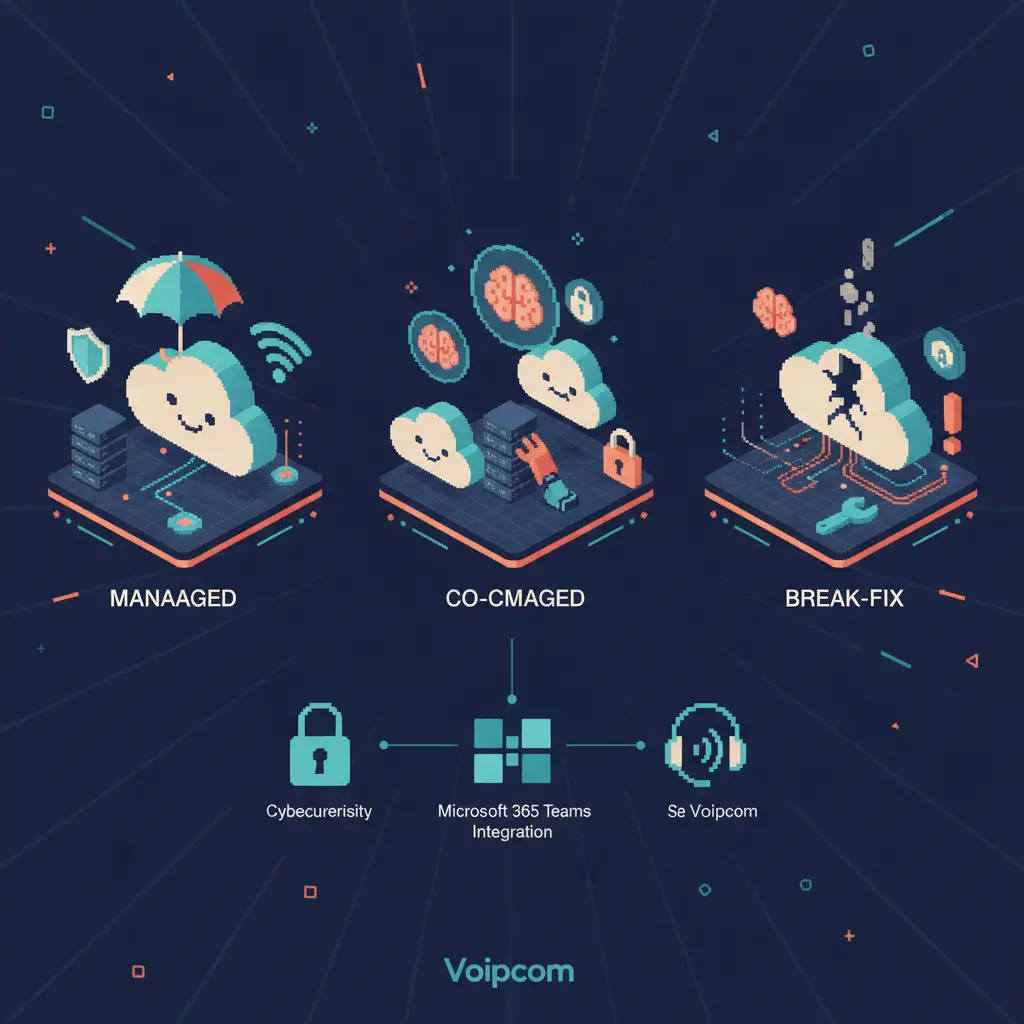
Should you choose managed, co-managed, or break-fix Tempe network support?
Managed support, co-managed support, and break-fix support fit businesses with different operational ownership needs.
The right model depends less on company size than on internal capability, operational risk, and how much leadership time you want to spend coordinating technology.
| Support approach | Who performs daily work? | Best fit | Strengths | Trade-offs and buyer checks |
|---|---|---|---|---|
| Fully managed IT | Your external provider manages routine support, monitoring, security, vendors, and planning. | Businesses without a dedicated IT department or with limited internal coverage. | One accountable partner, predictable operating model, proactive maintenance, integrated phone and network support. | Confirm the exact scope, escalation path, onsite coverage, and whether strategic planning is included. |
| Co-managed IT | Your internal IT team and provider divide responsibilities under a documented plan. | Businesses with capable internal IT staff who need tools, expertise, coverage, or project capacity. | Preserves internal knowledge while adding security operations, specialized skills, and coverage. | Define ownership precisely. Ambiguous responsibility creates delays during incidents. |
| Break-fix support | A provider works after a specific issue occurs, usually by request. | Very small, low-complexity environments with minimal downtime exposure. | Lower commitment and flexibility for isolated tasks. | Problems are found after disruption. Security, documentation, patching, backups, and lifecycle planning can be inconsistent. |
Break-fix can appear economical until an outage affects sales, service delivery, payroll, or customer trust. It also gives a provider limited opportunity to learn your environment before an emergency. Managed support shifts the relationship toward prevention: reviewing failed backups, patching known weaknesses, replacing aging equipment, and resolving recurring Wi-Fi or call-quality problems before they become urgent.
Co-managed support works well only when both parties share visibility. Your provider should have accurate documentation, defined administrative access, a shared ticket process, and an agreed escalation matrix. For example, your internal team may own applications and employee training while Voipcom manages firewall policies, endpoint security, after-hours escalation, network monitoring, and business phone infrastructure.
Businesses comparing local providers can also review Voipcom’s approach to managed IT and network support in Gilbert. The same fundamentals apply across the East Valley: clear accountability, secure infrastructure, proactive maintenance, and technology that supports growth.
What should a Tempe network support assessment and ongoing plan include?
A strong Tempe network support assessment creates an accurate baseline of your environment, ranks risks by business impact, and turns the findings into an owned improvement plan.
The assessment should begin with discovery, not assumptions. Your provider should identify internet circuits, firewall models, switch and Wi-Fi coverage, server or cloud dependencies, endpoints, user identities, line-of-business applications, backup systems, phone requirements, and vendor relationships. They should then map how the parts connect.
A practical assessment examines these areas:
- Network architecture: Are there single points of failure? Are switches, access points, and firewalls appropriately sized and supported? Is guest traffic separated from business systems?
- Wireless performance: Is coverage reliable in offices, warehouses, conference rooms, and customer-facing areas? Are access points placed and powered correctly? Does the wireless design support voice roaming where needed?
- Internet performance and resiliency: Are bandwidth, latency, and packet loss suitable for cloud applications and calls? Is failover tested instead of merely installed?
- Identity and access: Are former employees removed promptly? Do administrators use separate privileged accounts? Is multi-factor authentication applied to high-risk systems?
- Security and recovery: Are patches current? Are backups encrypted, protected from unauthorized deletion, and tested for restoration? Can the business recover a file, application, or entire system within an acceptable timeframe?
- Communications readiness: Are phones on the right network segment? Are QoS policies correctly applied? Are call routing, voicemail, emergency calling information, and mobile users properly configured?
The output should be a prioritized roadmap, not a generic list of recommendations. Each item should state the risk, affected systems, recommended action, owner, dependency, and target timing. Replacing an unsupported firewall may rank ahead of a cosmetic Wi-Fi upgrade. Correcting unrestricted administrator access may rank ahead of either.
Your ongoing plan should then include regular reviews. Technology changes as you add employees, move offices, adopt new software, or open another location. Good support uses recurring data—ticket patterns, security events, bandwidth trends, equipment age, and call quality—to drive decisions.
Communications should be part of that roadmap. A cloud phone system centralizes calling features in a provider-managed platform instead of an on-premises phone server. Users can make and receive business calls through desk phones, desktop apps, or mobile apps while keeping a consistent business identity. For teams handling high call volumes, a properly configured call queue management system distributes calls based on rules such as availability, ring order, department, skills, or time of day.
Voipcom adds AI call intelligence to this operational picture. The AI layer transcribes calls, identifies patterns, scores configured call criteria, and supports coaching. That gives managers a clearer view of service conversations and sales calls while the same local partner manages the underlying network, devices, security, and phone platform. The result is fewer handoffs and faster accountability when call quality or user experience needs attention.
How much should Tempe network support cost, and what should the agreement clarify?
Tempe network support costs should reflect the number of users, devices, locations, security requirements, communications scope, and level of responsibility—not an unclear promise of unlimited help.
A responsible proposal separates recurring management from one-time remediation and projects. Your environment may need immediate work before it can be supported predictably, such as replacing unsupported equipment, correcting insecure configurations, documenting the network, or improving backup coverage. Those activities should be visible rather than buried in vague language.
Review the agreement for these details:
- Included users, endpoints, servers, network devices, and locations.
- Remote and onsite support boundaries.
- Monitoring, patching, backup, cybersecurity, and vendor-management responsibilities.
- Response and escalation procedures based on severity.
- Projects, hardware, software licensing, after-hours work, and carrier charges that are outside the recurring scope.
- Documentation ownership and your ability to access it.
- Offboarding and transition procedures if your business changes providers.
The cheapest agreement can cost more if it excludes the work that prevents outages. Choose the provider whose scope matches your risk, operating hours, compliance needs, and growth plans.
Contact Voipcom — 1530 E Williams Field, Suite 201, Gilbert, AZ 85295 — 480 571 4454 to schedule a practical review of your Tempe network, business phones, cybersecurity controls, and communications goals at voipcom.network.
Frequently asked questions
What is Tempe network support?
Tempe network support is the ongoing management of a local business’s internet connectivity, firewalls, switches, Wi-Fi, user access, cybersecurity controls, cloud access, and network-dependent communications. It includes both resolving problems and preventing them through monitoring, maintenance, documentation, and planning.
Is managed network support better than break-fix IT support?
Managed network support is better for businesses that depend on reliable systems because it includes proactive monitoring, patching, security management, documentation, and planning. Break-fix support responds after a problem occurs and may be suitable only for low-complexity environments with limited downtime risk.
What should a Tempe IT provider monitor?
A Tempe IT provider should monitor internet availability, firewall health, switches, Wi-Fi access points, critical services, backups, endpoint status, patch compliance, security alerts, storage capacity, and network performance indicators such as latency, packet loss, and bandwidth congestion.
Why does a business phone system need network support?
A business phone system needs network support because cloud calls travel as data across the local network and internet connection. Proper Wi-Fi design, VLAN segmentation, QoS rules, bandwidth capacity, and backup connectivity reduce jitter, delay, dropped calls, and avoidable outages.
What is co-managed IT support?
Co-managed IT support is a shared operating model in which an internal IT team and an external provider divide technology responsibilities. It works best when both parties document ownership, share accurate network information, use a clear escalation process, and coordinate changes.
Can one provider manage IT, cybersecurity, and business phones?
Yes. A unified provider can manage network infrastructure, user support, cybersecurity, cloud services, business phones, and AI call intelligence under one accountable support model. This reduces vendor handoffs and speeds diagnosis when an issue affects both the network and communications platform.
About the author
Sean Fairchild — Co Founder - CTO
Co-Founder, Voipcom | VoIP/UCaaS + AI Call Summaries | Managed IT, Cybersecurity & Compliance